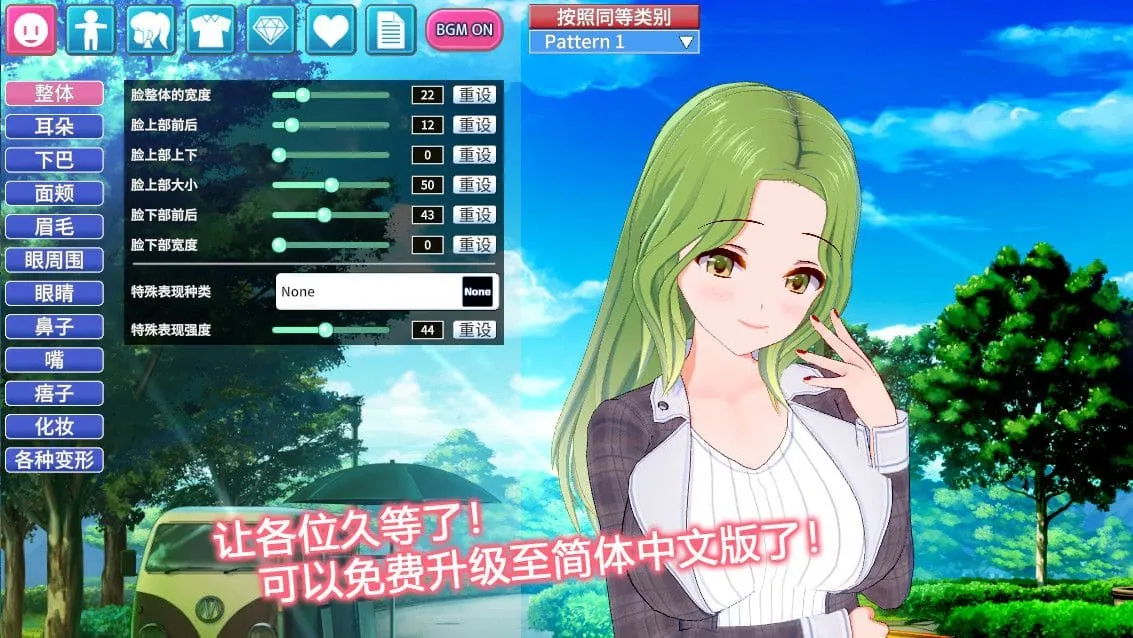
コイカツ! / Koikatsu Party Screenshots
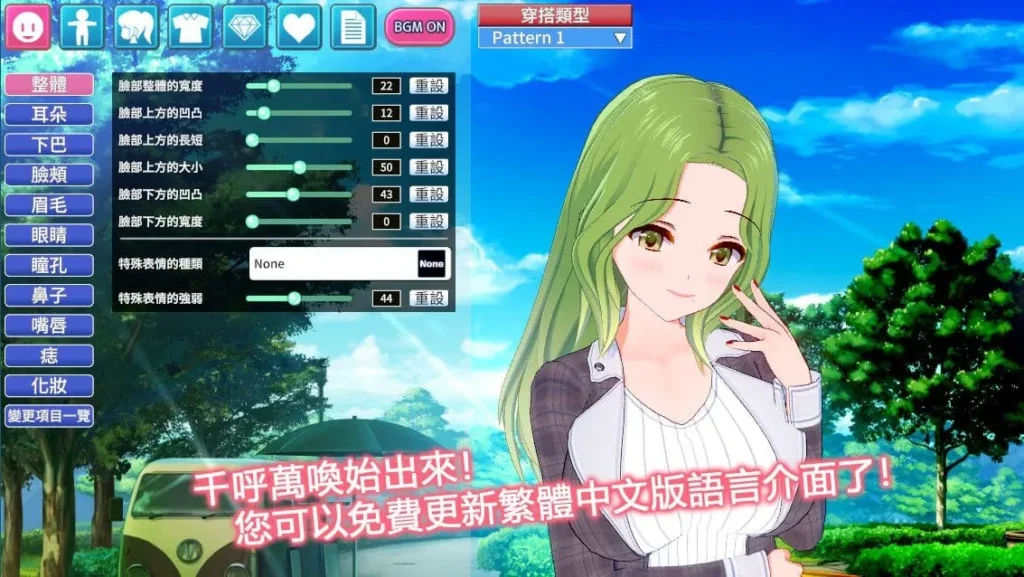
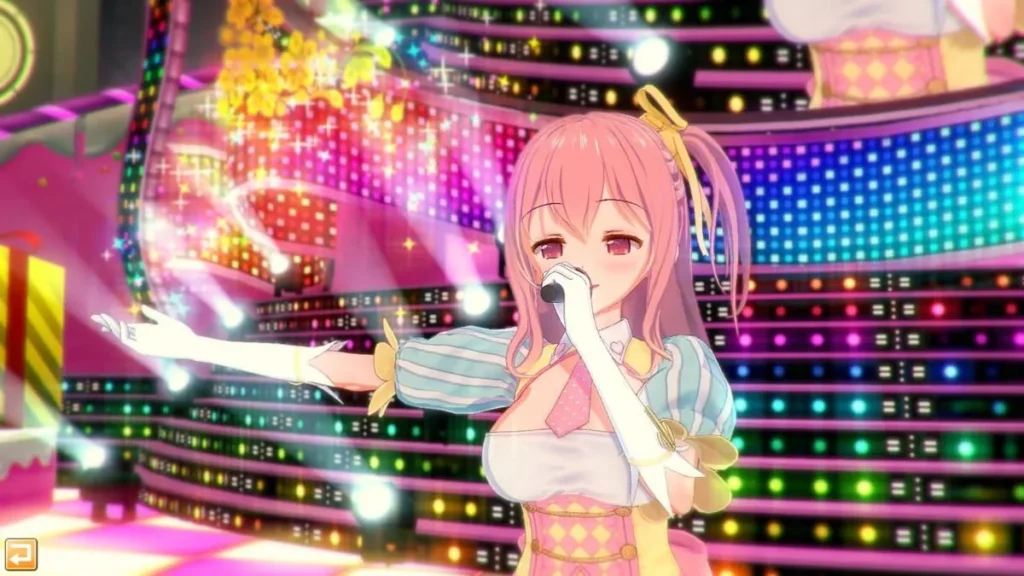
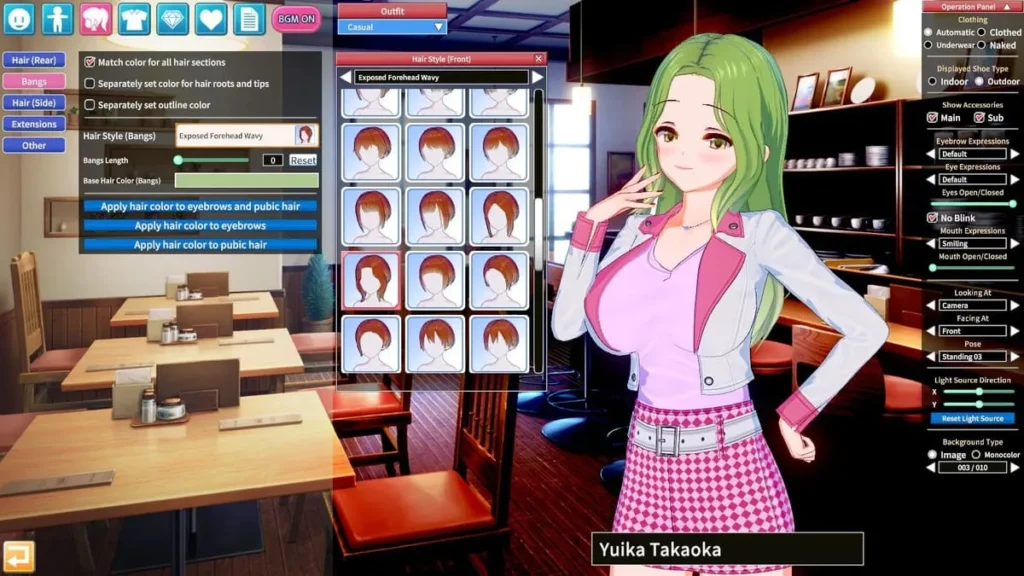
コイカツ! / Koikatsu Party review
Explore Character Creation, Gameplay, and Features of Koikatsu Party
Koikatsu Party is a unique adult simulation game developed by Illusion, known for its deep character customization and interactive gameplay. This guide dives into the core aspects of Koikatsu Party, from creating personalized characters to exploring the immersive school environment and adult-themed interactions. Whether you’re new to the game or looking to enhance your experience, this article provides practical insights and tips to get the most out of Koikatsu Party.
Mastering Character Creation in Koikatsu Party
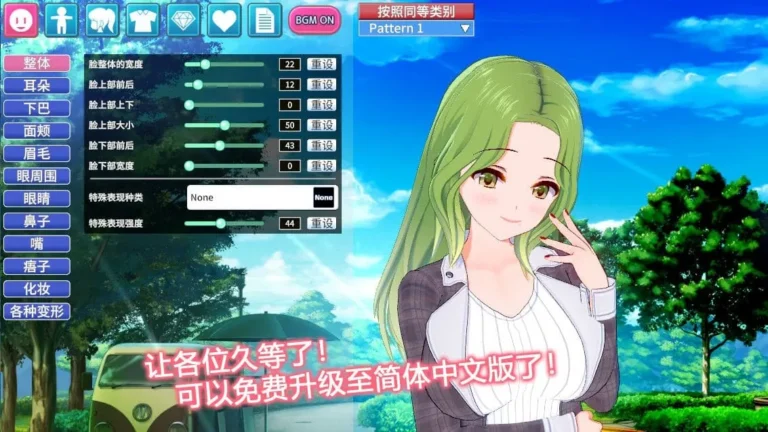
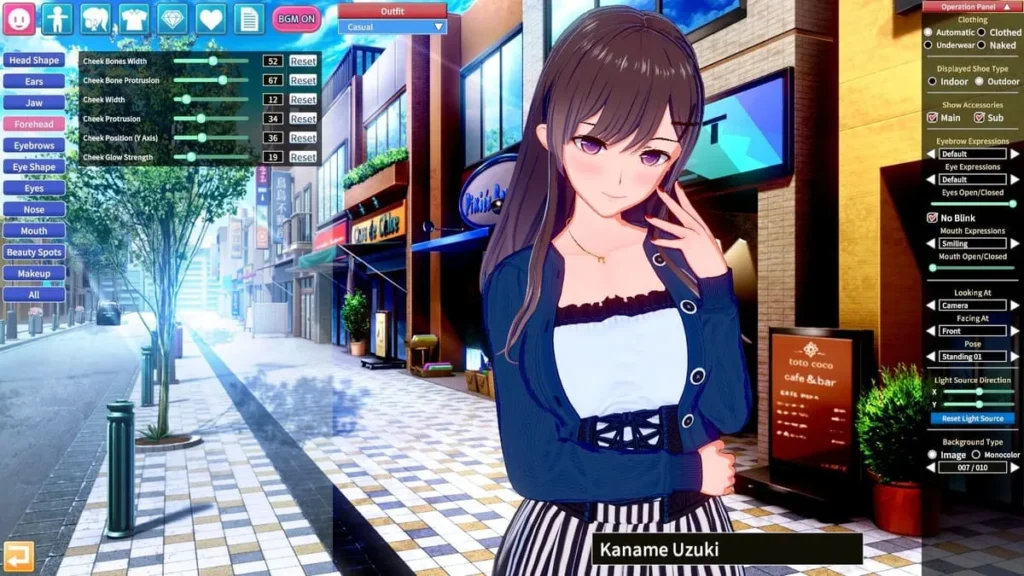
Ever booted up Koikatsu Party for the first time, clicked on ‘Character Creator’, and just… stared? 😳 I did. My screen was filled with a cute, generic anime girl, and surrounding her was a labyrinth of menus, sliders, and icons. Over 300 of them. My first thought was equal parts excitement and terror: “I can make anything… but where do I even start?”
That initial overwhelm is a rite of passage, but trust me, it quickly melts away into pure, unadulterated creative joy. The Koikatsu Party character creation suite isn’t just a tool; it’s the heart and soul of the entire experience. It’s where your stories begin, your personal dream academy takes shape, and your unique vision comes to life. This guide is your friendly map through that wonderful maze.
Let’s turn that blank slate into a character you can’t wait to meet. ✨
How to Customize Your Characters with Precision
Forget “one-size-fits-all” anime faces. The real magic of anime character customization in Koikatsu Party lies in its surgical precision. We’re not just picking from presets; we’re sculpting. Every nuance, from the arch of an eyebrow to the curve of a smile, is under your control.
Start with the foundation: the face. The Koikatsu Party facial features system is broken down into intuitive yet deep categories. You have separate controls for the overall head shape, forehead, cheeks, jaw, and chin. But the real devil (and angel!) is in the details. Want eyes that are slightly more drowsy? Adjust the ‘Eyes Angle’ slider. Dreaming of a more mischievous smirk? Play with the ‘Mouth Shape’ and ‘Smile’ sliders independently. I once spent an hour perfecting the exact look of shy side-glance for a character, and the moment it clicked was incredibly satisfying.
Then, we move to the body. This is where the 3D character sliders truly shine. It’s not just about height and proportion. You can adjust the shoulder width, the tilt of the pelvis, the thickness of the calves, and the individual size of each finger. This level of detail allows you to break away from standard archetypes and create athletes, dancers, or anyone with a distinct physical presence.
Here’s a practical tip that saved me hours of frustration: Work from large to small. 😌
1. Set your silhouette first: Adjust the major body proportions (height, bust, waist, hips).
2. Define the face shape: Choose a base head shape that fits your vision.
3. Place the major features: Position the eyes, nose, and mouth.
4. Dive into the fine details: This is where you tweak eyelash length, nostril shape, and lip gloss.
To give you a clearer picture of how these adjustments transform your custom anime avatars, here’s a quick reference:
| Customization Area | Key Sliders/Tools | Impact on Character Vibe |
|---|---|---|
| Eyes | Size, Spacing, Angle, ‘Eye Shape’ (a powerful multi-slider) | Goes from innocent and wide (large, high spacing) to intense and focused (narrower, angled down). |
| Mouth & Smile | Mouth Size, Upper/Lip Thickness, ‘Smile’ slider, ‘Mouth Shape’ type | Creates expressions from a permanent pout to a gentle, closed-lip smile or a big, cheerful grin. |
| Body Proportions | Overall Height, Bust/Waist/Hip sliders, Shoulder Width, Leg Ratio | Defines archetypes like petite, athletic, curvy, or willowy, forming the character’s physical identity. |
| Skin & Details | Skin Tone, Blush, Freckles, Eye Bags, Nail Color | Adds life, health, and story—fairytale pale, sun-kissed athlete, tired student, or meticulous fashionista. |
The goal isn’t necessarily realism, but believability within your own anime world. Does the character’s look tell the story you imagine? That’s the question to keep asking.
Exploring Personality Archetypes and Custom Traits
Now, here’s what sets Koikatsu Party apart from other creators: your character isn’t just a pretty doll. 🧠 Those looks you just painstakingly crafted are wrapped around a complex, interactive personality engine. This is where Koikatsu personality archetypes come into play, and they are a complete game-changer.
When you move to the “Personality” tab, you’re presented with a list of archetypes like “Delusional,” “Simple,” “Gyaru,” “Cool Beauty,” or “Class Rep.” Selecting one isn’t just giving them a label; it pre-sets a vast array of underlying stats that dictate everything about how they’ll behave in the game world. Their dialogue choices, their reactions to your actions, their likes and dislikes, even their walking and sitting animations—all are filtered through this core personality.
But the genius is that these archetypes are merely a starting point. You can then open the “Traits” menu and fine-tune to your heart’s content. Is your “Class Rep” secretly a bit of a glutton? Add the “Foodie” trait. Is your “Cool Beauty” actually terribly clumsy? Slap on the “Clumsy” trait. I created a character with the “Delusional” archetype but added “Studious” and “Shy,” resulting in a wonderfully complex girl who would passionately lecture me about her fictional boyfriend one minute and hide behind a book the next.
Pro Tip: Don’t ignore the “H” and “Love” parameters hidden within the trait menus. These subtly influence a character’s comfort and progression in intimate scenarios, allowing for even more nuanced storytelling, from hesitant first-timers to confidently passionate partners.
Understanding this system is key to creating anime characters Koikatsu that feel alive. You’re not just designing a look; you’re writing their soul’s code. It makes every interaction in Story Mode or the main school life feel dynamic and personalized. The way your custom tsundere snaps at you will be fundamentally different from how your gentle childhood friend speaks, all because of these underlying settings.
Tips for Creating Unique and Realistic Anime Characters
So, you understand the tools and the personality system. How do you bring it all together to make someone truly memorable? Here’s the practical, from-the-trenches advice I’ve gathered from countless hours of creating anime characters Koikatsu. 🎨
1. Use References, But Don’t Be a Slave to Them.
Have a picture of an anime character you love open on another screen. Try to pinpoint why you like their design. Is it their unusually colored hair? Their sharp eye shape? Their small stature? Instead of copying them exactly, use that “why” as your inspiration. Try to recreate the feeling their design gives you, not the precise measurements. This will lead you to discover sliders and options you might have never touched otherwise.
2. Asymmetry is Your Friend.
Perfect symmetry can feel uncanny and lifeless. The ‘Detail’ tab often has sliders for adjusting the left and right sides of features independently. Try shifting one eyebrow 2-3 points higher than the other. Make one corner of the mouth tilt up slightly more. These infinitesimal tweaks add a layer of natural, engaging imperfection that gives your custom anime avatars a huge dose of personality.
3. Layer Your Clothing and Accessories.
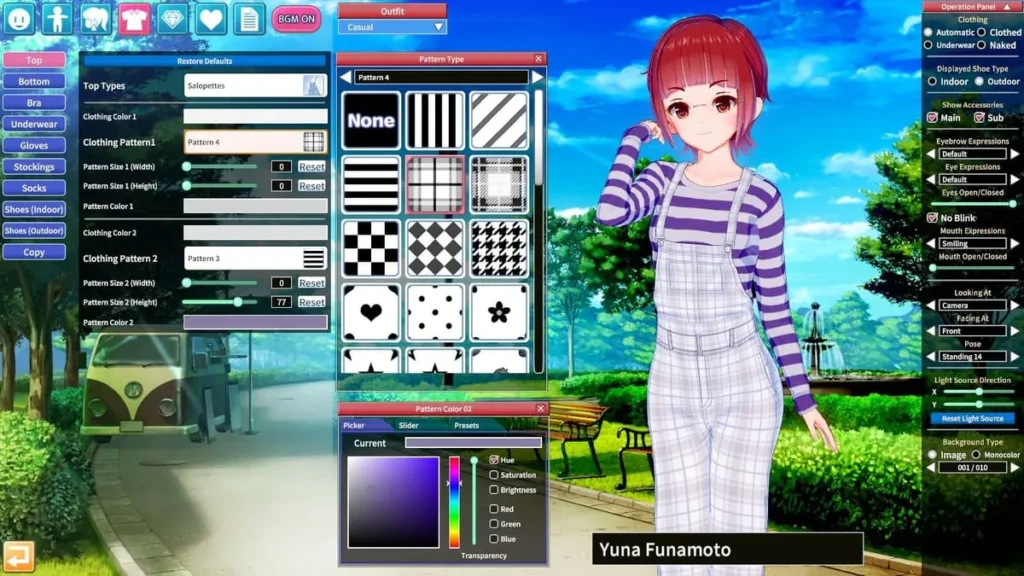
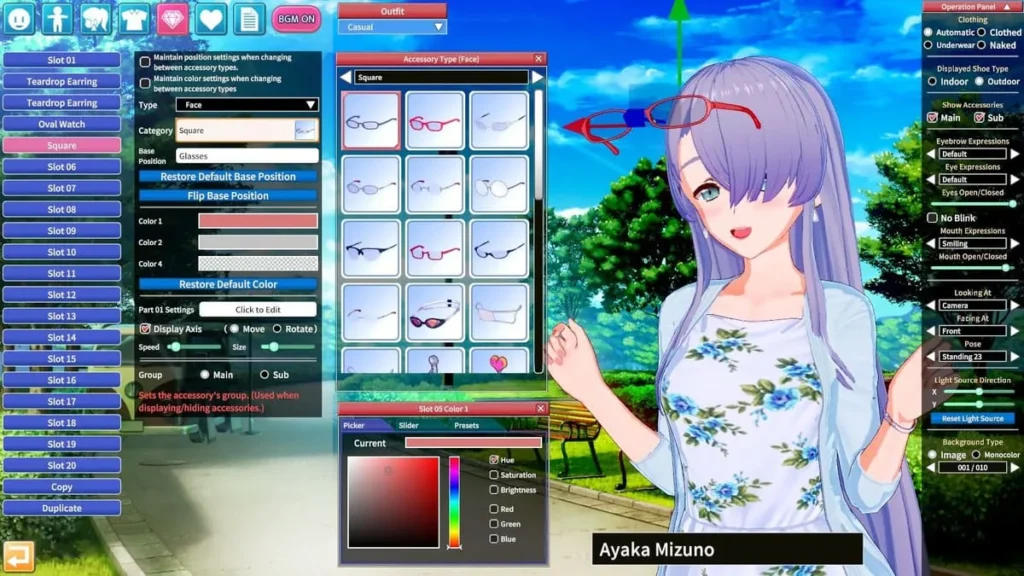
The wardrobe is absurdly deep. Don’t just put on a dress and call it a day. Add a ribbon in the hair, a choker, wristbands, stockings with a specific pattern, and maybe an accessory like a book or phone in their hand. Each layer adds to their story. A character in a uniform with perfectly aligned ribbons feels disciplined; the same uniform with a loose tie and a jacket slung over the shoulder tells a different tale entirely.
4. Experiment with the “Unknown” Sliders.
Scroll past the obvious sliders. What does “Face Details A” do? What’s the difference between “Eye Highlight A” and “Eye Highlight B”? Just play! Move them to extremes to see their effect, then dial them back to a subtle level. Some of my favorite discoveries—like a slider that adds a faint, attractive shadow under the eye—were found in these “mystery” menus. This fearless experimentation is the core of Koikatsu Party character creation.
5. Save Incrementally and Often.
This is the most crucial technical tip. 😅 You will make a change that ruins a perfect feature you had an hour ago. Save your character under a new name (“CharacterName_v2,” “CharacterName_FinalHair”) every 20 minutes or after any major breakthrough. That way, you can always backtrack without heartbreak.
The journey of mastering Koikatsu Party character creation is one of constant discovery. Every new slider tweaked, every personality trait combined, unlocks new possibilities for storytelling and connection. It transforms the game from a simple experience into a personal anime studio where your imagination is the only limit. So dive in, get weird with the sliders, and breathe life into the characters only you can create. Your academy is waiting for them.
Koikatsu Party offers a rich and engaging experience through its detailed character creation and interactive gameplay set in a vibrant school environment. By mastering the customization tools and understanding the game’s mechanics, players can craft unique stories and enjoy a deeply personalized simulation. Dive in, experiment with your creations, and explore the many possibilities Koikatsu Party has to offer.